NEWiPhone app · Android coming soon
 NoSurprise
Subscription tracker and free trial reminder
Never get chargedby surprise.
Share a receipt or trial email and get alerts 3 days and 1 day before you are charged, with step-by-step guides to cancel. No bank login, no account.
Free · No ads · No account · Support


How it works
Free trials turn into paid plans nobody remembers. Prices creep up. Cancelling is buried in menus. NoSurprise warns you before the money leaves, and shows you the way out.
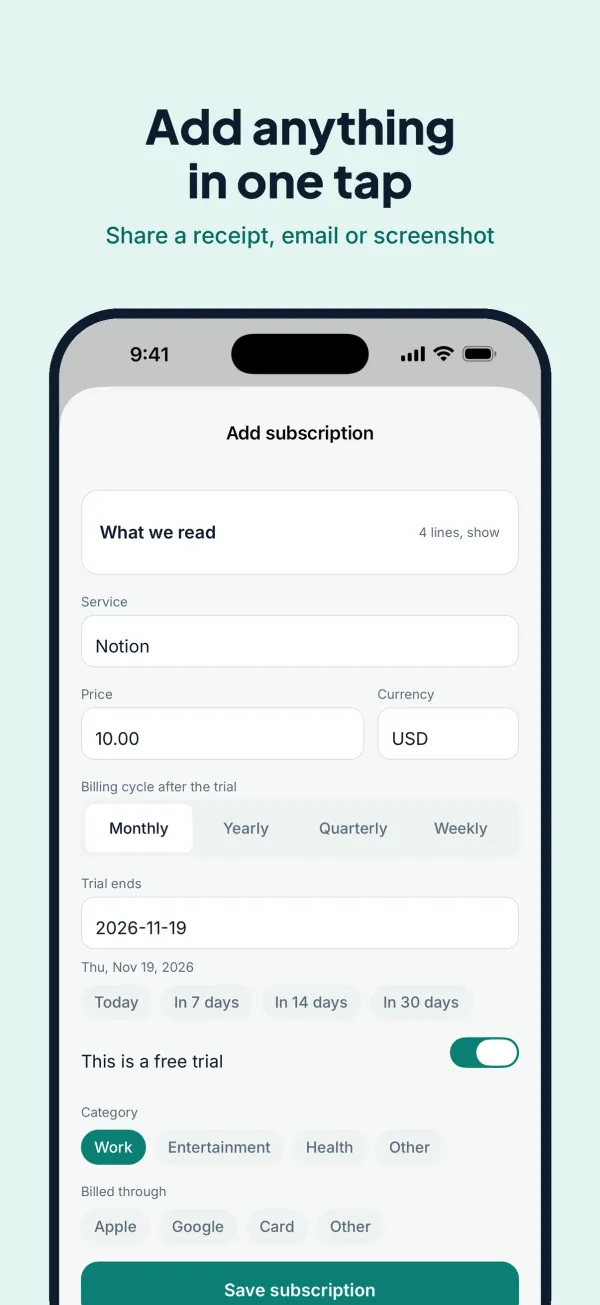
Share it from any app
Share a receipt, a trial email or a screenshot to NoSurprise. It reads the text on your phone in seconds and fills in the service, price and date for you to check. You can also paste the email or add it by hand.
We tell you first
Alerts arrive 3 days and 1 day before each charge, at the time you choose, with the price and the date. Trials get their own countdown, so a free trial never turns into a charge by surprise.
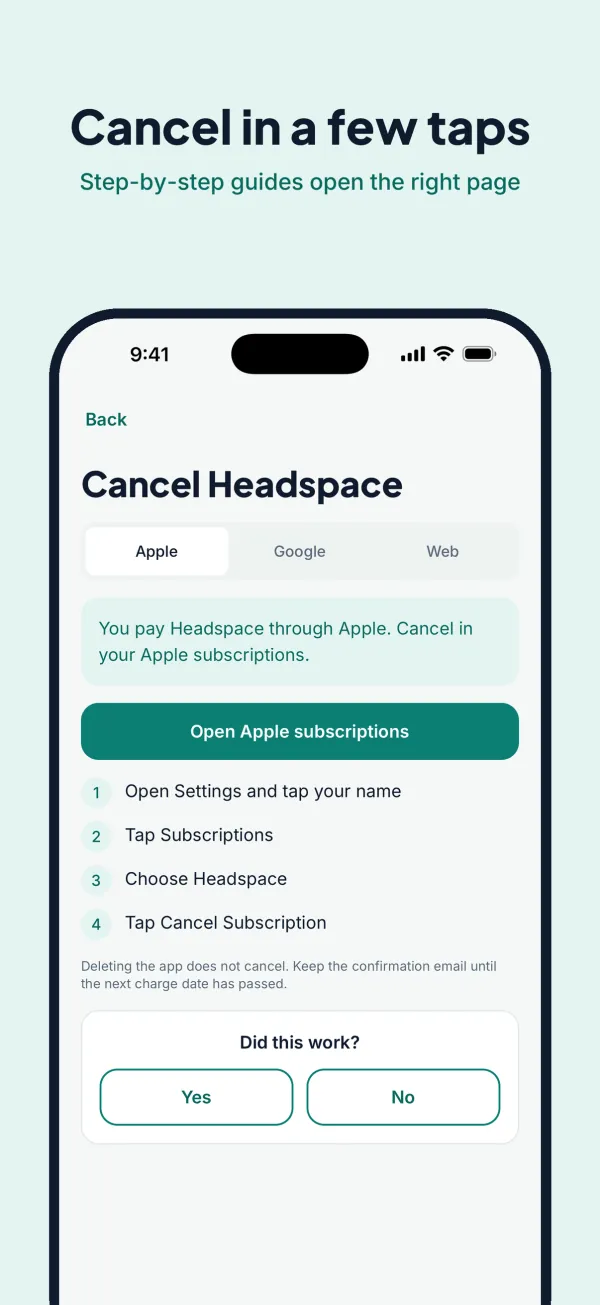
Cancel in a few taps
Step-by-step cancel guides for 50 popular services open the right Apple, Google Play or website page. NoSurprise cannot cancel for you, but it shows you exactly where to go.
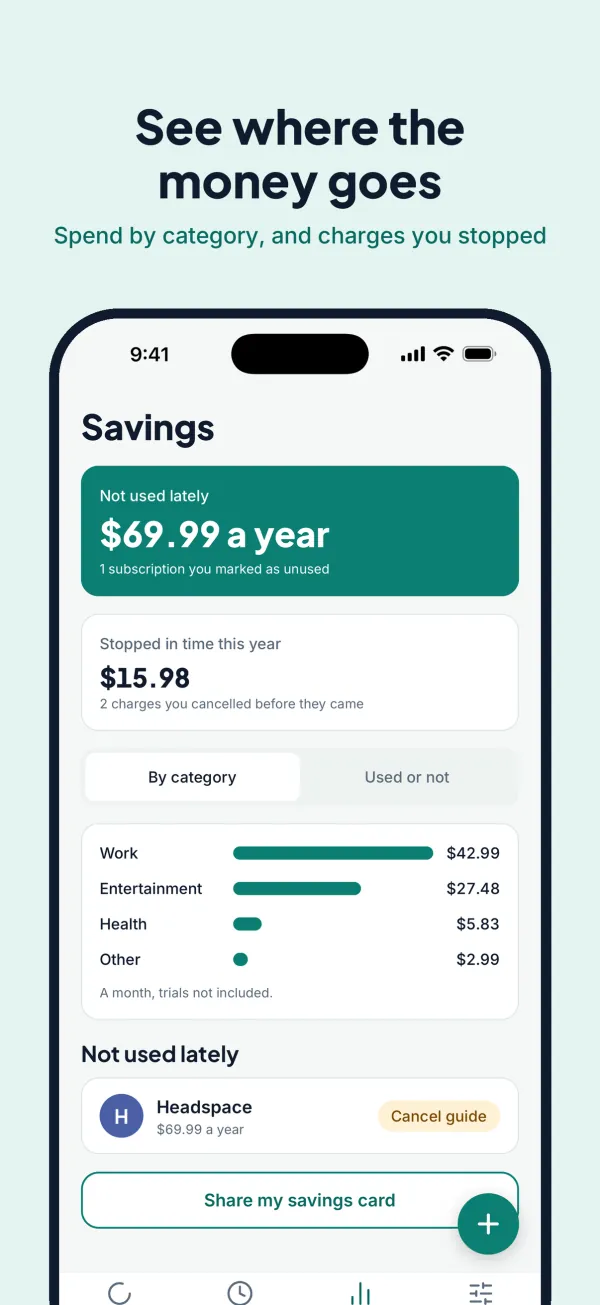
See where the money goes
Savings adds up what you pay for things you no longer use, spend by category, and the charges you stopped in time. Share a savings card with totals only, never names.
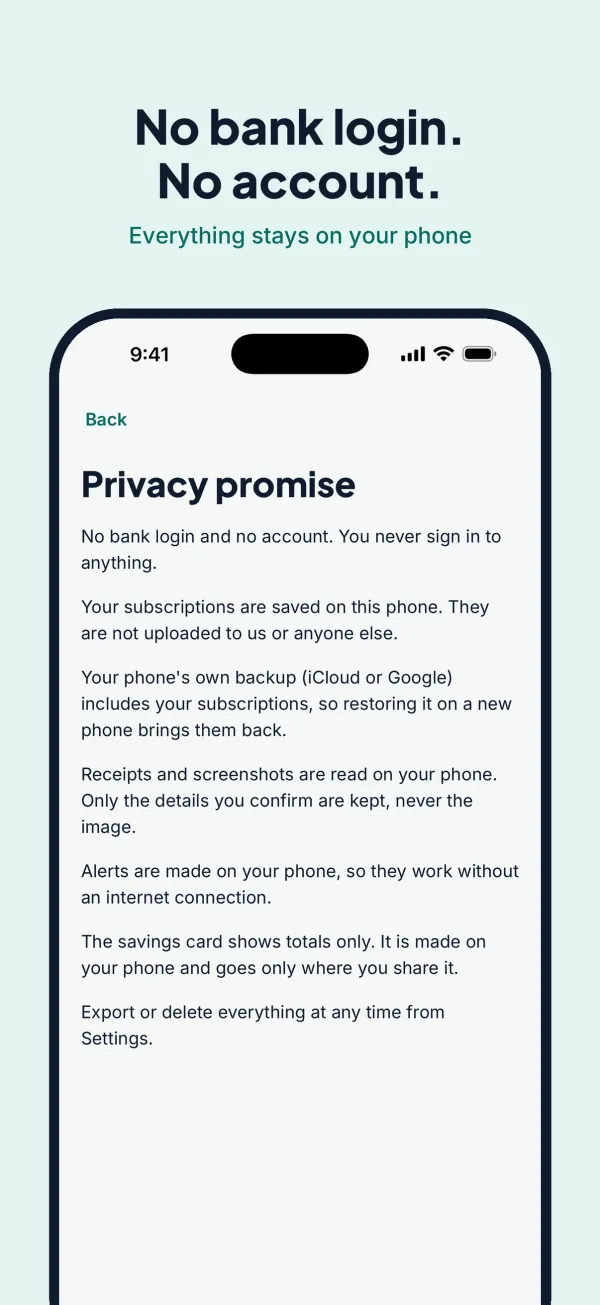
It all stays on your phone
No bank login. No account. Your subscriptions are saved on this phone and are not uploaded to us. Receipts and screenshots are read on the phone and never kept. Export or delete everything at any time.
AT LAUNCH
Free.
No ads, no account, no limit at launch.
Coming soon on theApp StoreiPhone and Android · launch price
- Ads
- None
- Account
- None
- Subscription limit
- None at launch
- Bank login
- Never
NO SURPRISES
NoSurprise support and FAQ
Questions, a bug, or a cancel guide that no longer works? Email prolificrew@gmail.com. Please do not send receipts, card numbers or account details.
How do I add a subscription?
Share a receipt, a trial email or a screenshot to NoSurprise from any app, paste the email text, or tap the plus button and add it by hand.
Can NoSurprise cancel for me?
No. It opens the right Apple, Google Play or website page and lists the steps. You cancel there.
I did not get an alert.
Check that notifications are on for NoSurprise in your phone's settings, and open the app once in a while so it can schedule the next alerts.
Where is my data?
On your phone only. You can export it as a spreadsheet or delete everything from Settings. See the privacy policy.
I got a new phone.
Your phone's own backup (iCloud on iPhone, Google on Android) includes your subscriptions. Restore that backup on the new phone, or use the phone-to-phone transfer, and they come back.
Read the NoSurprise privacy policy.